


What are QR codes for and how can we be scammed?
QR codes have been active in the technology world since 2009. However, what at first should have the same functionality as a barcode, today is becoming an indispensable resource in our daily lives. Not only as a code to obtain more information about products, but also as a resource for consulting or contracting certain services.
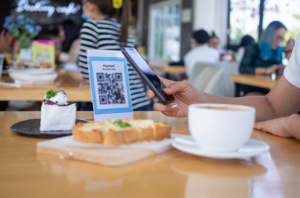
It can be found in restaurants (digital menu), airports (passport, visa or vaccination certificate) and even in television commercials. But authorities have again recently warned of a worrying increase in cyber scams using QR codes.
The cybercriminal usually takes advantage of public places, where it is common to find this information resource. The cyberattack begins by placing a sticker with a QR designed by the cybercriminal and that in case of scanning it directs us to a fake web page (Pharming; cyberattack discussed in previous TIPs) or download a file or application, apparently harmless, but that can cause a lot of damage to our device or provide personal or payment data to that third party without us being aware of it.
How can we avoid this?
- Before using it, think about whether it is really indispensable and whether there are no other information alternatives: it is quite possible that it is not necessary at all. Especially if we are not sure of its authenticity. Thus, in case of doubt, it will be preferable to continue to consult the information by other means (official website, information brochures, etc.).
- Make sure that the QR code is correct: before scanning a QR code on the terrace of a restaurant, on a billboard, on a brochure, at a bus stop, we must check that it has not been tampered with. Sometimes cybercriminals overlay a sticker with their fake QR, covering up the real QR. In case of doubt or if a possible fraud of this type is detected, it is preferable to alert of the manipulation and to consult the same information by other means (workers of the establishment, web page, etc.).
- Be suspicious of the authenticity of the QR if you see that the web page it links to is unrelated, not secure (it has a padlock or has an “S” at the end ofhttps) or is very uninformative: the function of QRs is primarily advertising and informational. The usual is that it links to a location map, an email, a restaurant menu; a web page or a profile on a social network. But if the request is to enter personal data, bank or payment details or even download a file, an application or click on a link on a blank page, we could be facing a possible cyber-scam technique.
IMPORTANT NOTE: If you think you may have been a victim of this cyberattack, in the work environment report it to the IT Dept, CISO or DPO and in the personal environment report it to the police authority.