


This is the last SECURE&TIP of the year, before the SECURE&TRIVIAL of Dec. 2025;a virtual and interactive game that we are preparing for you, so that you can test your knowledge about Cybersecurity and Privacy.
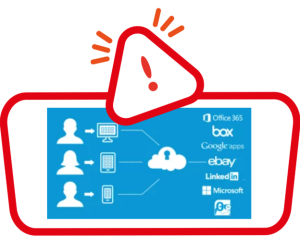
What does it mean to link accounts?
In order to create a new account in an app or a website we are required to enter certain personal contact information and even corporate information, depending on the use to be made of the service.
However, it is becoming increasingly common for a pop-up window to appear suggesting that we log in with one of the already created accounts called federated authentication (email, such as Outlook and Gmail, social networks or Android and Apple profile) and thus quickly and automatically verify our identity.
But what does this imply for our privacy and that of our organization?
ADVANTAGES:
- It helps us reduce the number of credentials we use.
- Registration processes are faster.
- Our login credentials will not be stored by the new service, but will remain the property of the social network or the originating account. In this way it would only be necessary to memorize one password for different services.
RISKS:
- Loss of control over personal data, when the service accesses certain data from another profile already created (email, social networks, appStores, etc.).
- Use of the data obtained from this other profile for purposes other than those consented to by the user.
- In the event of a security breach of the service, the user’s password will not be affected, but a lot of information from the linked social profile may be affected, including data about the user’s environment, contacts, interests and habits.
- In the event of credentials theft in the social network or any other source accounts, control of the other services where we have registered with that account is also lost, which could be hacked with the same credentials.
RECOMMENDATIONS:
- Before linking a personal account to a new application or web profile, evaluate the use you are going to make of it and find out what data it will have access to.
- If it is an application that you are not familiar with, that you are only going to use occasionally, or just want to try it out, avoid logging in with another account.
- Do not save passwords in the browser or reuse them in different services. Use reliable password managers.
- Use only those federated identity services that offer you the best guarantees regarding the use of your linked personal data (FIM). Check on the internet which ones they are and what security conditions each one provides.
- It is preferable that you link those accounts where you know that two-factor authentication is used (e.g. SMS verification keys). If unauthorized access is detected, you will be warned in advance so that you can change the passwords for all services.
- And finally, periodically review, from the privacy settings of your account in social networks or email, the applications that you have logged in or allow to be logged in in a linked way, deleting or revoking permission for those that you have stopped using and do not want them to continue to have access to your data.
WE REMIND YOU AGAIN: Not all the applications we download, nor all the web pages we use are equally secure. If you believe that you have linked an account that you should not have or have been the victim of a fraud or cyberattack, report it to the IT Department, CISO or DPO at work or report it to the police.
*Shipment date: December 01, 2025