


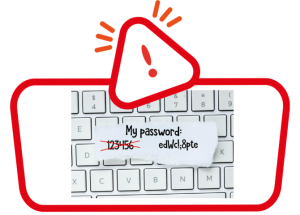
Both professional and personal passwords are to be considered as our “entry keys” to certain devices and digital platforms. These may even contain strictly confidential personal or professional information. As we safeguard the physical building access keys, we should apply the same protection criteria to the passwords that we usually use, in the use of new technologies that invade our daily lives.
According to recent surveys, approximately 90% of the passwords used by users are classified as not secure enough and highly vulnerable. In fact, 52% admit that they use the same passwords for multiple uses, and that they may even use the same passwords for personal and professional purposes, and vice versa.
The most common cyberattacks related to password cracking, that is, decryption of keys using computer techniques, consist of the use of bots or programs that carry out trial and error attempts. Also known as “brute force attacks”, they are carried out in an automated way, in a matter of milliseconds and do not require extensive technical knowledge on the part of the cybercriminal, only the means to carry them out.
We would therefore like to remind you of the following recommendations:
- Choose passwords between 8 and 14 characters. And use in them both uppercase and lowercase, letters, numbers and, if possible, symbols. With the evolution of attack techniques, even the method of substituting only skipped letters for numbers has become obsolete.
- Do not use complete words, phrases or dates. The fact that a password is easily readable, associable or memorizable is already an indication that its security level is not adequate.
- Use different passwords for different uses. The information that can be found about each one of us on the internet can be very extensive, and this implies that an attack suffered on a personal level could also affect us professionally, and vice versa. If we handle many passwords, the best solution is to use password manager software that creates them randomly and stores them. Thus avoiding having to memorize them.
- Before choosing a password, test its security. Depending on the length and complexity of the key, we can know more or less the time it would take to crack a password. In fact, before using any password, we recommend checking it on secure websites of internationally recognized organizations by the National Cybersecurity Institute of each country (in Spain, INCIBE).
- Do not write them in diaries, post-it notes and mobile devices. Only approximately 60% of people admit that they manage to memorize part of their passwords, compared to 40% who do not even try. Having them in writing implies that at any time they can be lost, stolen or even be accessible to third parties not authorized to know them.
- Periodically change passwords. Given that cracking implies a certain operating time for the bot to decipher a password associated with a certain account or user, we can make this task difficult by changing them regularly, and it is totally inadvisable to use them for a period of more than 90 days. This period may even be 30 or 60 days depending on the platform we are using, which sometimes requires us to change our password.
IMPORTANT NOTE: If we suspect that our password may have been stolen, entered on an insecure web page or given to a third party who is not authorized to know it, we must hasten to request a change or reset of the password. In the work environment we will ask for help to the IT Department and in the personal environment following the password recovery instructions, available in the web page, mailbox, online account or affected application.
*Date of shipment: June 09, 2025