


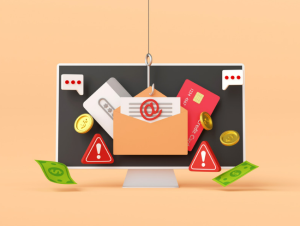
What is “Phishing”?
Phishing is one of the cyber-attack techniques within social engineering, which we talked about in last week’s TIP.
The term “Phishing” derives from the English word “fishing” and is always related to the capture of data and information through the use of e-mail to commit this computer crime.
Thus, by means of this technique, the cybercriminal will randomly send to different users, professionals and individuals, false or fraudulent communications by e-mail.
In these communications, it is most common to impersonate a trusted contact, whether it is someone close (boss, family member, friend) or an important entity (bank, public administration, insurance company).
It may also be related to fake login verification on platforms (e.g. Amazon, Facebook, Netflix, etc.) or password change requests.
This is done so that the User who receives the e-mail does not suspect that it is false and makes a mistake such as downloading a file, clicking on a link, providing data or logging in through a false web page (“Pharming”, we will talk about it in a specific TIP, later on).
This in turn can lead to the camouflaged installation of a virus or malware, i.e. malicious software that damages the computer and information, or to the collection of contacts, passwords and any other data the cybercriminal wants to access.
How can we avoid this?
- The golden rule remains to be wary of any unusual communication and to “double check”. To find out for sure, we should contact the supposed sender (our boss, relative, bank, etc.) by other official means, to ask if the e-mail received is real.
- Do not do anything requested until you have checked the above. This means not downloading files or images, not clicking on links and much less entering personal data or passwords on the linked web pages.
- We can check the links without clicking on them and thus avoid entering data on a fake web page. This can be done by moving the mouse over the link, as we say, without clicking directly. By doing this, you will see that a message will appear with the original name of the website to which the link redirects and you will be able to check if it is an official website or a fraudulent website.
- If you are suspicious about the content of a communication, do not reply to the e-mail. This could put the cybercriminal on alert and he could use other alternative means to trick us again (such as Vishing or Smishing, which we will talk about in upcoming TIPS).
- Do not simply omit or delete it. If we have checked the above and in any of the points we have detected the falsity of the communication, we should not simply eliminate it. We have to notify this incident to the IT support team at work, and at personal level to the technological provider of the e-mail service (Microsoft, Google, etc.), so that they can analyze it, solve it and we can continue using this service with total security, both for us and for any other Users.